
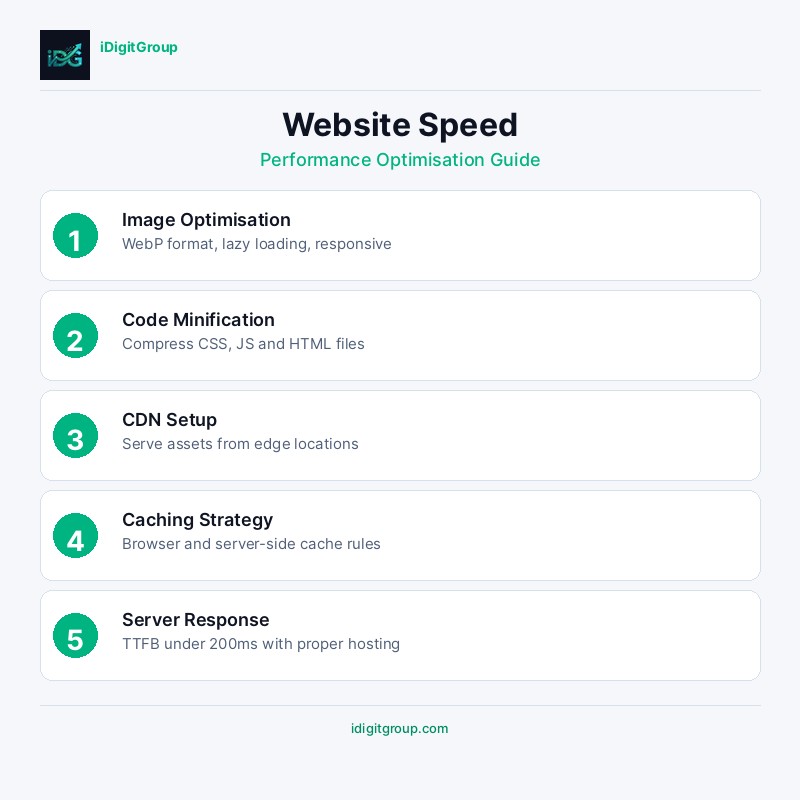
Introduction: Why Speed Is Everything
Every extra second your pages take to load is converting a fraction of your visitors into bounces. Google's Core Web Vitals data is unambiguous: the fastest-loading pages in any vertical consistently outrank slower competitors, all else being equal. Yet most websites still fail basic speed benchmarks: not because the fixes are complicated, but because they require a systematic approach rather than isolated tweaks. This guide walks through every layer of the performance stack, from server response times to render-blocking resources to image compression.
Website speed affects everything: SEO rankings, user experience, conversion rates, and revenue. Optimising for speed is not optional, it's essential for any business that wants to succeed online.
"53% of mobile users abandon sites that take longer than 3 seconds to load.", Google Research
This comprehensive guide will show you exactly how to optimise your website speed, covering everything from Core Web Vitals to advanced performance techniques.
Understanding Core Web Vitals
Google's Core Web Vitals are a set of specific factors that Google considers important in a webpage's overall user experience. They became a ranking factor in 2021 and remain crucial for SEO.
The Three Core Metrics
| Metric | Full Name | What It Measures | Good | Needs Improvement | Poor |
|---|---|---|---|---|---|
| LCP | Largest Contentful Paint | Loading performance | <2.5s | 2.5-4.0s | >4.0s |
| INP | Interaction to Next Paint | Responsiveness | <200ms | 200-500ms | >500ms |
| CLS | Cumulative Layout Shift | Visual stability | <0.1 | 0.1-0.25 | >0.25 |
Additional Performance Metrics
Beyond Core Web Vitals, these metrics also matter:
| Metric | Target | Why It Matters |
|---|---|---|
| TTFB (Time to First Byte) | <200ms | Server response time |
| FCP (First Contentful Paint) | <1.8s | Perceived loading speed |
| TTI (Time to Interactive) | <3.8s | When page becomes usable |
| TBT (Total Blocking Time) | <200ms | Main thread blocking |
| Speed Index | <3.4s | Visual loading progress |
Why Core Web Vitals Matter for SEO
Google uses Core Web Vitals as ranking signals. Sites with good scores:
- Rank higher in search results
- Get more organic traffic
- Convert better (faster sites = more sales)
- Have lower bounce rates
- Provide better user experience
- Are more likely to be recommended by AI systems
Diagnosing Speed Issues
Before optimising, you need to understand where your problems are. Use these tools:
Speed Testing Tools
| Tool | Best For | URL |
|---|---|---|
| Google PageSpeed Insights | Core Web Vitals, mobile/desktop | pagespeed.web.dev |
| GTmetrix | Detailed waterfall analysis | gtmetrix.com |
| WebPageTest | Advanced testing, multiple locations | webpagetest.org |
| Chrome DevTools | Real-time debugging | Built into Chrome |
| Lighthouse | Comprehensive audits | Built into Chrome |
Common Speed Issues
| Issue | Impact | Frequency |
|---|---|---|
| Unoptimised images | High | Very common |
| Render-blocking resources | High | Common |
| Too much JavaScript | High | Common |
| No caching | Medium | Common |
| Slow server response | High | Moderate |
| No CDN | Medium | Moderate |
| Large CSS files | Medium | Common |
| Too many HTTP requests | Medium | Common |
Speed Optimisation Techniques
1. Image Optimisation
Images are often the biggest culprits for slow websites, typically accounting for 50-80% of page weight.
Image Optimisation Checklist
| Technique | Impact | Implementation |
|---|---|---|
| Compression | High | Use tools like TinyPNG, ImageOptim |
| Modern formats | High | Convert to WebP or AVIF |
| Lazy loading | High | Add loading="lazy" attribute |
| Responsive images | Medium | Use srcset for different sizes |
| Proper dimensions | Medium | Specify width and height |
| CDN delivery | Medium | Serve from edge locations |
Image Format Comparison
| Format | Best For | Compression | Browser Support |
|---|---|---|---|
| WebP | Most images | Excellent | 97%+ |
| AVIF | Photos | Best | 85%+ |
| JPEG | Photos (fallback) | Good | 100% |
| PNG | Graphics with transparency | Moderate | 100% |
| SVG | Icons, logos | N/A (vector) | 100% |
2. Code Optimisation
Clean, efficient code loads faster and executes more quickly.
JavaScript Optimisation
- Minification - Remove whitespace, comments, and unnecessary characters
- Bundling - Combine multiple files to reduce HTTP requests
- Tree shaking - Remove unused code from bundles
- Code splitting - Load only what's needed for each page
- Defer loading - Load non-critical JS after page render
- Async loading - Load scripts without blocking rendering
CSS Optimisation
- Minification - Compress CSS files
- Critical CSS - Inline above-the-fold styles
- Remove unused CSS - Eliminate dead code
- Efficient selectors - Avoid complex CSS selectors
- CSS-in-JS alternatives - Consider utility-first frameworks
3. Server Optimisation
Your server configuration significantly impacts speed.
Server-Side Optimisation
| Technique | Impact | Description |
|---|---|---|
| CDN | High | Serve content from nearby locations |
| Browser caching | High | Store static assets locally |
| Gzip/Brotli compression | High | Compress text-based files |
| HTTP/2 or HTTP/3 | Medium | Faster protocol for multiple requests |
| Server-side caching | High | Cache dynamic content |
| Database optimisation | Medium | Optimise queries and indexes |
CDN Benefits
| Benefit | Impact |
|---|---|
| Reduced latency | 50-70% faster for distant users |
| Lower server load | Offload static asset serving |
| DDoS protection | Absorb attack traffic |
| Automatic optimisation | Image compression, minification |
| Global availability | Redundancy across locations |
4. Caching Strategies
Effective caching dramatically improves repeat visit performance.
Cache-Control Headers
| Resource Type | Max-Age | Example |
|---|---|---|
| HTML pages | Short (0-1 hour) | max-age=3600 |
| CSS/JS (versioned) | Long (1 year) | max-age=31536000 |
| Images | Long (1 year) | max-age=31536000 |
| Fonts | Long (1 year) | max-age=31536000 |
| API responses | Varies | Depends on data freshness |
5. Reducing HTTP Requests
Every HTTP request adds latency. Minimise them:
- Combine files - Merge CSS and JS files
- CSS sprites - Combine small images
- Inline small assets - Base64 encode tiny images
- Icon fonts or SVG - Replace image icons
- Remove unnecessary plugins - Audit third-party scripts
Advanced Performance Techniques
Preloading and Prefetching
| Technique | Use Case | Syntax |
|---|---|---|
| Preload | Critical resources | |
| Prefetch | Next-page resources | |
| Preconnect | Third-party domains | |
| DNS-prefetch | DNS resolution | |
Service Workers
Service workers enable:
- Offline functionality
- Background sync
- Push notifications
- Advanced caching strategies
Edge Computing
Move computation closer to users:
- Edge functions for dynamic content
- Edge caching for personalisation
- Reduced origin server load
Measuring Success
Key Performance Indicators
| KPI | Target | Tool |
|---|---|---|
| LCP | <2.5s | PageSpeed Insights |
| INP | <200ms | PageSpeed Insights |
| CLS | <0.1 | PageSpeed Insights |
| PageSpeed Score | 90+ | PageSpeed Insights |
| Bounce Rate | <40% | Google Analytics |
| Conversion Rate | +10-30% improvement | Google Analytics |
Monitoring Tools
Set up continuous monitoring:
- Google Search Console (Core Web Vitals report)
- Real User Monitoring (RUM)
- Synthetic monitoring (scheduled tests)
- Alerting for performance regressions
Case Study: Speed Optimisation Results
A recent client website optimisation achieved:
| Metric | Before | After | Improvement |
|---|---|---|---|
| PageSpeed Score | 42 | 94 | +124% |
| LCP | 4.8s | 1.9s | -60% |
| CLS | 0.32 | 0.04 | -88% |
| Bounce Rate | 58% | 34% | -41% |
| Conversions | 2.1% | 3.8% | +81% |
Conclusion: Speed Is a Competitive Advantage
Website speed is not a nice-to-have, it's a must-have. Every millisecond counts in the race for rankings and conversions. Fast websites rank higher, convert better, and provide superior user experiences.
The investment in speed optimisation pays dividends across every metric that matters: SEO rankings, user engagement, conversion rates, and ultimately, revenue.
Is your website slow? Our technical SEO team can conduct a comprehensive speed audit and implement optimisations that deliver measurable results. Contact us for a free performance assessment.
---
Related Reading
---Related Services
- Technical SEO - Performance optimisation
- Web Design & Development - Fast, optimised websites
- Website Maintenance - Ongoing performance monitoring