
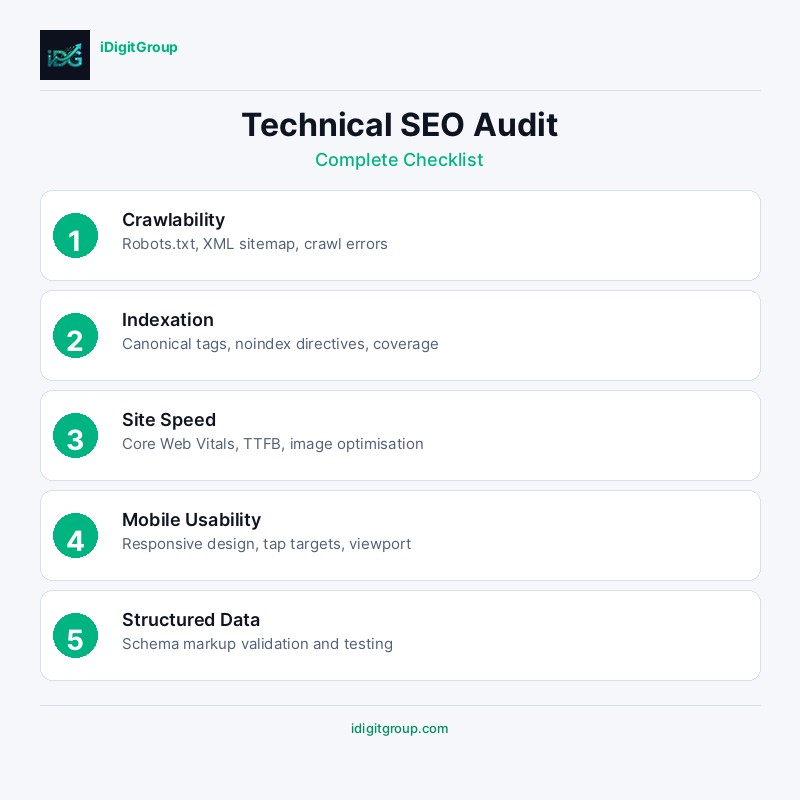
What Is a Technical SEO Audit and Why Does It Matter
Before you commission another piece of content or reach out for another backlink, run this audit. In most cases, the reason a site isn't ranking isn't the absence of good content or strong links. It's a technical problem sitting silently in the infrastructure, blocking or diluting everything above it. Duplicate pages getting indexed, crawl budget wasted on pagination, render-blocking scripts delaying how quickly Google sees your content: these issues don't announce themselves. This checklist exists to find them systematically.
Technical issues are responsible for an estimated 30% of all ranking problems, yet they are frequently overlooked in favour of content creation and link building. A thorough technical audit ensures that every page on your site is accessible, fast, and properly structured for search engines to understand.
This checklist covers every critical area of technical SEO, organised into actionable sections that you can work through systematically. Whether you are auditing your own site or evaluating a client's, this guide provides a comprehensive framework for identifying and resolving technical barriers to organic growth.
Crawlability and Indexation
Search engines must be able to discover and access your pages before they can rank them. Crawlability issues are the most fundamental technical SEO problems and should be addressed first.
Robots.txt Configuration
Your robots.txt file controls which parts of your site search engines can access. A misconfigured robots.txt can accidentally block critical pages from being crawled.
| Check | What to Look For |
|---|---|
| File accessibility | robots.txt loads at yourdomain.com/robots.txt |
| Blocked resources | No critical CSS, JS, or image files blocked |
| Blocked pages | No important pages disallowed |
| Sitemap reference | XML sitemap URL included |
| Crawl-delay | Not set unnecessarily (slows indexing) |
XML Sitemap Audit
Your XML sitemap serves as a roadmap for search engines, listing every page you want indexed. A well-maintained sitemap accelerates the discovery and indexation of new and updated content.
Verify that your sitemap includes only canonical, indexable pages with 200 status codes. Remove any URLs that return 404 errors, redirect, or carry noindex tags. For sites with more than 50,000 URLs, implement a sitemap index file that references multiple child sitemaps.
Canonical Tags
Canonical tags tell search engines which version of a page is the "master" copy. Incorrect canonical implementation is one of the most common technical SEO errors, leading to duplicate content issues and wasted crawl budget.
Every page should have a self-referencing canonical tag unless it is a duplicate that should point to the primary version. Audit your site for pages with missing canonicals, canonicals pointing to non-existent URLs, and chains of canonical redirects.
Index Coverage
Use Google Search Console's Index Coverage report to identify pages that Google has excluded from its index and understand why. Common exclusion reasons include:
- Pages blocked by robots.txt
- Pages with noindex meta tags
- Duplicate content without proper canonicals
- Soft 404 errors (pages that return 200 but have no meaningful content)
- Server errors preventing crawling
Site Speed and Core Web Vitals
Page speed is a confirmed ranking factor for both desktop and mobile search. Google's Core Web Vitals metrics provide specific, measurable targets for page performance.
Core Web Vitals Benchmarks
| Metric | Good | Needs Improvement | Poor |
|---|---|---|---|
| Largest Contentful Paint (LCP) | Under 2.5s | 2.5s to 4.0s | Over 4.0s |
| Interaction to Next Paint (INP) | Under 200ms | 200ms to 500ms | Over 500ms |
| Cumulative Layout Shift (CLS) | Under 0.1 | 0.1 to 0.25 | Over 0.25 |
Server Response Time
Your server's Time to First Byte (TTFB) should be under 200 milliseconds. Slow server response times cascade into poor LCP scores and overall page speed. Common causes include unoptimised databases, insufficient server resources, and missing server-side caching.
Image Optimisation
Images are typically the largest assets on any web page. Audit your site for oversized images, missing compression, and outdated formats. Every image should use next-generation formats (WebP or AVIF), be properly sized for its display dimensions, and include descriptive alt text for accessibility and SEO.
JavaScript and CSS Efficiency
Render-blocking JavaScript and CSS delay the loading of visible content. Audit your site for unused CSS, unminified JavaScript bundles, and third-party scripts that add unnecessary weight. Implement code splitting, tree shaking, and deferred loading for non-critical scripts.
For comprehensive speed optimisation strategies, see our guide on website speed optimisation.
Mobile Usability
With Google's mobile-first indexing, the mobile version of your site is the primary version that Google crawls and indexes. Mobile usability issues directly impact rankings across all devices.
Mobile-Friendly Design Checks
| Element | Requirement |
|---|---|
| Viewport meta tag | Present and correctly configured |
| Font sizes | Minimum 16px for body text |
| Tap targets | Minimum 48x48 pixels with adequate spacing |
| Content width | Fits within viewport without horizontal scrolling |
| Interstitials | No intrusive pop-ups blocking content |
| Navigation | Accessible and usable on mobile devices |
Responsive vs Adaptive Design
Responsive design that adapts fluidly to any screen size is the recommended approach. Avoid separate mobile URLs (m.yourdomain.com) as they create duplicate content issues and complicate canonical management.
HTTPS and Security
HTTPS is a confirmed ranking signal. Beyond SEO, it protects user data and builds trust. Audit your site for mixed content warnings, expired certificates, and insecure redirects.
SSL Certificate Checks
Verify that your SSL certificate is valid, not expired, and covers all subdomains. Check for mixed content, pages served over HTTPS that load resources (images, scripts, stylesheets) over HTTP. Mixed content triggers browser security warnings and undermines user trust.
HTTP to HTTPS Redirects
Every HTTP URL should redirect to its HTTPS equivalent with a 301 permanent redirect. Audit your site for redirect chains (HTTP to HTTPS to www to non-www) and consolidate them into single-step redirects.
URL Structure and Redirects
Clean, descriptive URLs improve both user experience and search engine understanding. A thorough URL audit identifies structural issues that may be diluting your site's authority.
URL Best Practices Checklist
- URLs are lowercase and use hyphens as word separators
- No special characters, spaces, or underscores
- Descriptive and keyword-relevant
- Consistent trailing slash usage
- No session IDs or unnecessary parameters
- Reasonable length (under 100 characters)
Redirect Audit
Redirects are necessary when URLs change, but they must be implemented correctly. Audit your site for:
| Issue | Impact | Solution |
|---|---|---|
| Redirect chains | Slows crawling, dilutes authority | Consolidate to single redirect |
| Redirect loops | Pages become inaccessible | Fix the loop immediately |
| Temporary redirects (302) | Authority not passed | Change to 301 if permanent |
| Broken redirects | 404 errors for users and bots | Update redirect destination |
| Excessive redirects | Wastes crawl budget | Remove unnecessary redirects |
Structured Data and Schema Markup
Structured data helps search engines understand the content and context of your pages, enabling rich results that increase visibility and click-through rates.
Essential Schema Types
Implement the appropriate schema markup based on your content type. At minimum, every site should have Organisation schema on the homepage and BreadcrumbList schema on all pages.
For detailed implementation guidance, read our comprehensive guide on schema markup for businesses.
Testing and Validation
Use Google's Rich Results Test and Schema Markup Validator to verify your structured data. Common errors include missing required properties, incorrect data types, and schema that does not match the visible page content.
Internal Linking Structure
A well-planned internal linking structure distributes page authority throughout your site and helps search engines discover and understand the relationship between your pages.
Link Equity Distribution
Audit your site's internal link structure to identify orphan pages (pages with no internal links pointing to them) and pages with excessive outbound internal links. Every important page should be reachable within three clicks from the homepage.
Anchor Text Optimisation
Internal link anchor text should be descriptive and relevant to the target page. Avoid generic anchor text like "click here" or "read more." Instead, use keyword-rich phrases that accurately describe the linked content, following on-page SEO best practices.
Internationalisation and Hreflang
For multilingual or multi-regional sites, correct hreflang implementation is critical. Errors in hreflang tags can cause the wrong language version to appear in search results, frustrating users and harming engagement metrics.
Hreflang Audit Checklist
- Every page has hreflang tags for all language versions
- Tags include a self-referencing hreflang
- An x-default tag is present for the fallback version
- All hreflang URLs return 200 status codes
- Hreflang annotations are reciprocal (if page A references page B, page B must reference page A)
Log File Analysis
Server log files reveal exactly how search engine bots interact with your site. Analysing crawl logs provides insights that no other tool can offer, including which pages bots crawl most frequently, which pages they ignore, and how they respond to your robots.txt directives.
Key Metrics from Log Analysis
| Metric | What It Reveals |
|---|---|
| Crawl frequency | How often bots visit each page |
| Status code distribution | Percentage of 200, 301, 404, 500 responses |
| Crawl budget allocation | Which sections consume the most crawl budget |
| Bot identification | Which search engines are crawling your site |
| Response time | How quickly your server responds to bot requests |
Frequently Asked Questions
How often should I perform a technical SEO audit?
A comprehensive technical SEO audit should be conducted at least quarterly. However, critical metrics like index coverage, Core Web Vitals, and crawl errors should be monitored weekly through Google Search Console and automated alerting tools.
What tools do I need for a technical SEO audit?
Essential tools include Google Search Console (free), a crawling tool like Screaming Frog or Sitebulb, Google PageSpeed Insights for speed analysis, and a log file analyser. For enterprise sites, consider tools like Botify or ContentKing for continuous monitoring.
Can technical SEO issues cause a sudden drop in rankings?
Yes, technical issues are one of the most common causes of sudden ranking drops. A misconfigured robots.txt, accidental noindex tags, server downtime, or a failed migration can cause pages to be deindexed within days. This is why regular monitoring is essential.
Should I fix all technical issues at once or prioritise?
Prioritise issues based on their impact on crawlability and indexation first, then address speed and usability issues. Critical issues like blocked pages, broken redirects, and server errors should be fixed immediately. Lower-priority issues like minor CLS problems can be addressed in subsequent sprints.
How do I know if my technical SEO is good enough?
A technically sound site should have over 95% of its important pages indexed, pass Core Web Vitals on at least 75% of pages, have no critical crawl errors, and load in under three seconds on mobile. Regular monitoring through Google Search Console provides the clearest picture of your technical health.
Conclusion
A technical SEO audit is not a one-time exercise but an ongoing discipline. As your site grows and evolves, new technical issues will inevitably emerge. By following this checklist regularly and addressing issues promptly, you ensure that your technical foundation supports rather than undermines your content and link building efforts.
The most successful websites treat technical SEO as a continuous investment, integrating regular audits into their development workflow. Start with a free automated check, use our free SEO audit tool to instantly identify the most critical technical issues on your site, then contact our team for a comprehensive expert audit.